
CREATE CUSTOM AUTHENTICATION SCHEME IN ORACLE APEX
1. Go to Shared Components.
2. Click the Authentication Schemes link under the Security section.
3. Edit the existing Application Express Authentication scheme.
4. Change the Name to Custom Scheme.
5. Select Custom from the Scheme Type drop-down list.
6. Type custom_auth in the Authentication Function Name under the Settings pane.
7. Click the Apply Changes button.
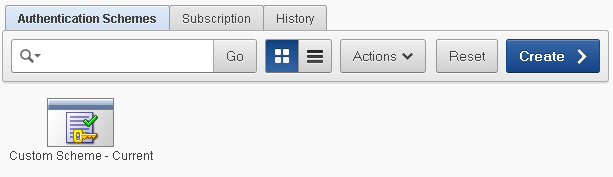
NOTE: In the case of multiple schemes, the currently applied authentication scheme contains a check mark on its icon. Please make sure that the CUSTOM SCHEME we created in this exercise carries that check (as indicated in the above figure). If not, edit the scheme and click the Make Current Scheme button. Continue >>>
An excerpt from the book "Create Rapid Web Applications Using Oracle Application Express - Second Edition"


